
With NVIDIA's latest GPU generation Blackwell becoming widely available, how should you train your model?
B200 vs H100 which to use
With the introduction of newer GPUs like NVIDIA's B200 (Blackwell), it’s no longer obvious which GPU to choose for model training.
While B200 offers more memory and theoretical speedups, it also costs significantly more and requires specific optimizations to unlock full value. On the other hand, H100s are now cheaper and widely available, but may limit performance for large-scale models.
GPU Economics
At his GTC 2025 Keynote, NVIDIA CEO Jensen Huang said that "when Blackwell starts shipping in volume, you could not give Hoppers away" and joked that he was the "Chief Revenue Destroyer", and clarified that "there are circumstance where Hopper is fine".
So when is it fine to use Hopper aka H100 - which are not quite given away but considerably cheaper by the hour - and when should you use Blackwell aka B200?
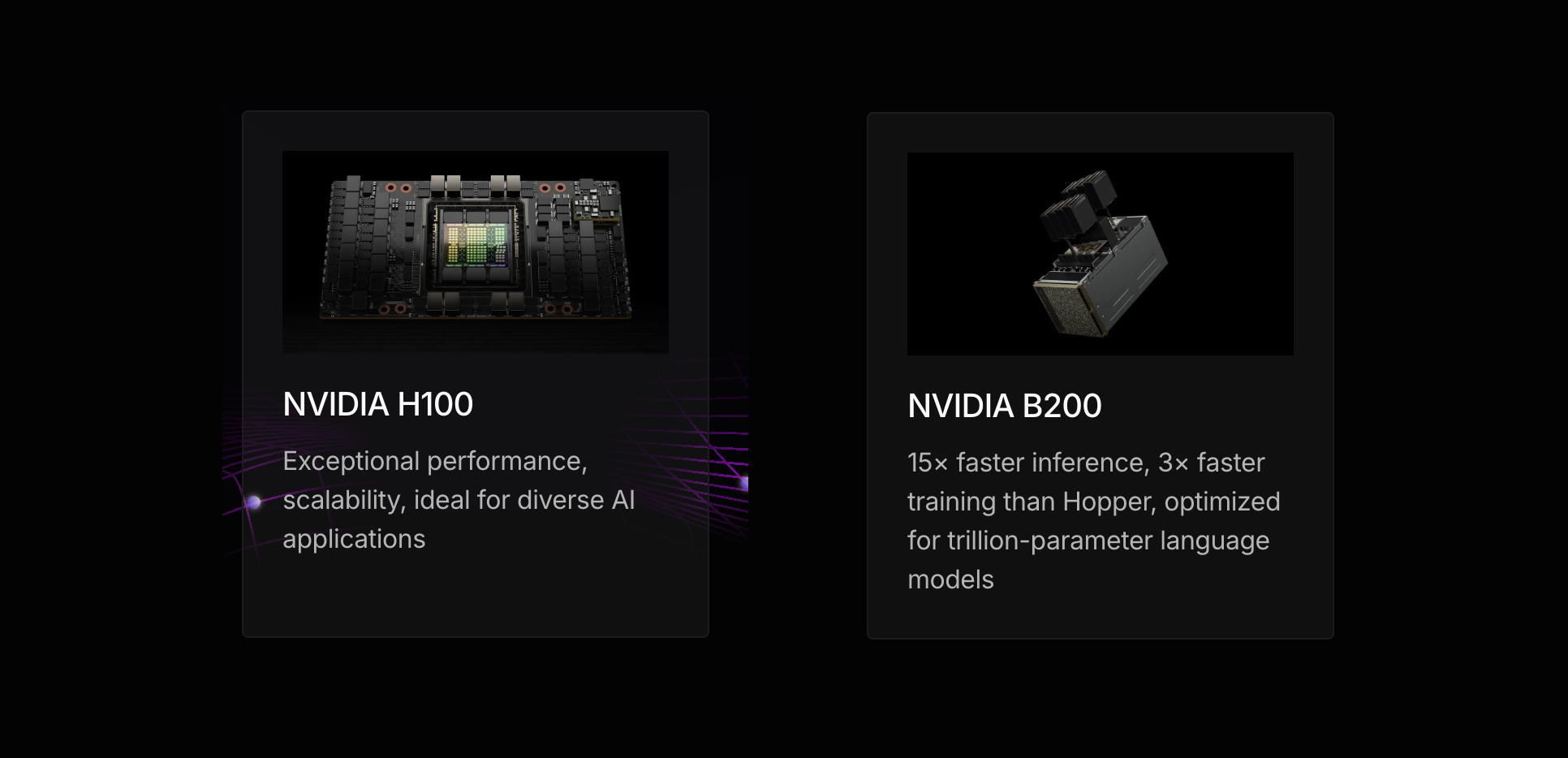
At the time of writing, the price for interruptible machines on Lightning cloud are $2.99 (per GPU, per hour) for 8xH100 and $5.90 (per GPU, per hour) for 8xB200. We also have $5.90 (per GPU, per hour) for 8xH200. The relative availabilities manifests themselves in the wait times: The expected wait is 4 minutes for 8xH100, 3 minutes for 8xH200, and 7 minutes for 8xB200 (no reservations required).
The first, perhaps most obvious observation is: if your workload does not fit 8 Hopper GPUs with 80GB of VRAM each (and you don't have your hand on 160GB H200s), then the sheer capacity hike to 192GB VRAM on each B200 makes your life a lot easier.
In cases where training if feasible on either machine, it comes to a bit more detailed cost benefit analysis: It is expected that things run faster on B200s out of the box. By how much can vary greatly, so you would want to measure the performance for your workload and evaluate if the total training run is cheaper on B200s as is or that the speedup itself is valuable to you because shorter training time allows faster iteration, saves engineering resources or brings competitive advantages.
On the other hand some of the classical - but still very useful - training workloads - fine-tuning convolutional models for classification or detection, can be considered small by the standards set by today's large language models, so you likely can go with H100s (or even L40s if you prefer).
B200 speedups in practice
As a simple, but maybe typical, example, we finetune R1 Distill Llama 70B in bfloat16 precision.
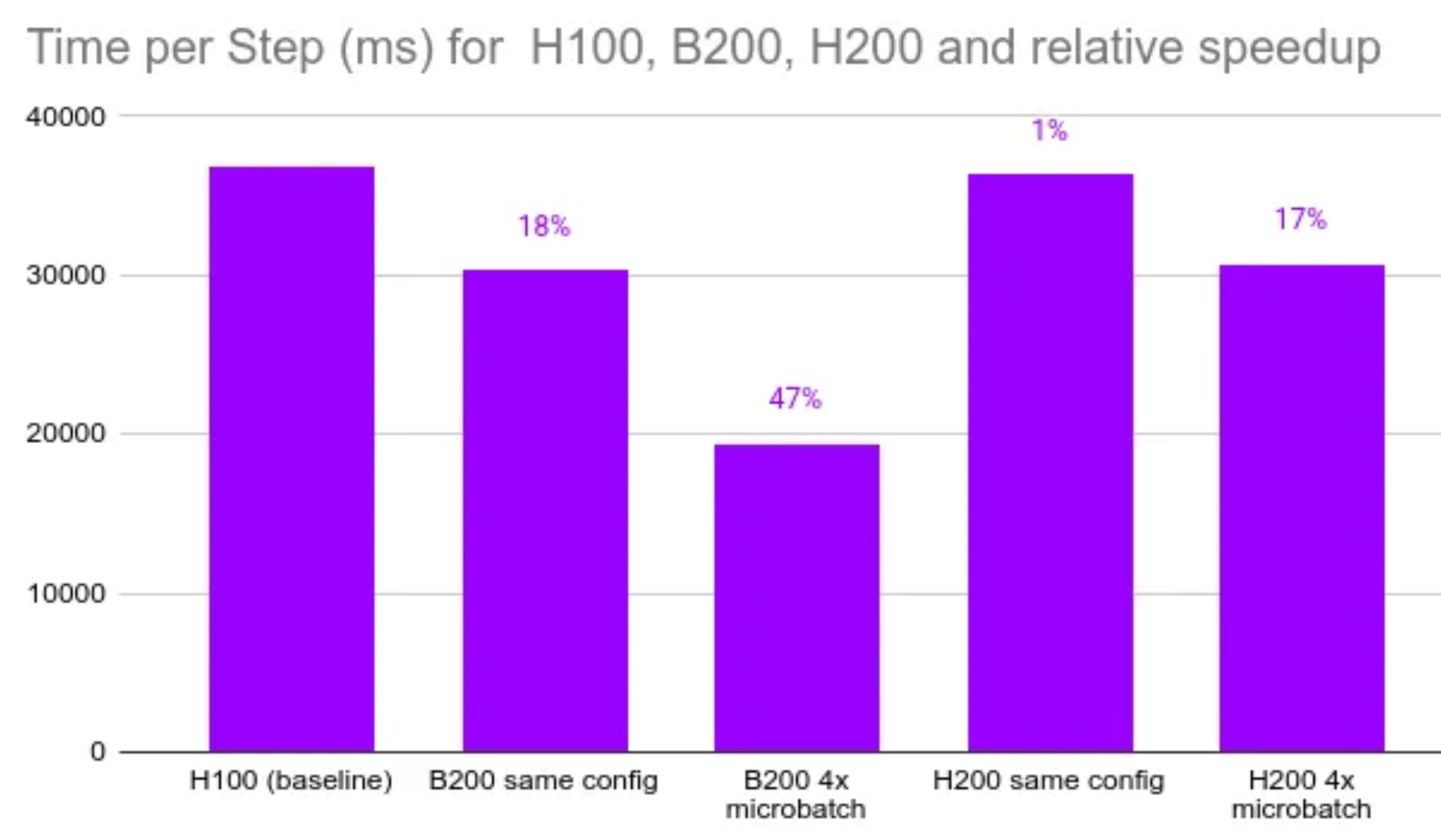
Our baseline is a 8xH100. Our setup has 4 microsteps in one step. Each microstep takes about 9.2 seconds on average, so the computation for one optimizer step takes just under 36.8 seconds.
Moving to 8xB200 without any changes, we immediately get a a speedup, cutting 18% of the processing time (to about 30.3 seconds).
However, exploting the vastly larger memory - 192GB per GPU instead of 80GB - we can take a 4x larger microbatch size. This brings down the computation for one optimizer step to 19.4 seconds on average. So with a larger batch size, 8xB200 is almost twice as fast with almost no effort.
But if batch size is a deciding factor, what about H200, which also offers a considerable memory bump (160GB vs. 80GB). It turns out that without changing the microbatch size, H200 offers no speedup vs. H100. Taking the larger microbatch size, H200 cuts 17% of the processing (to 30.7 seconds), but it does stretch the memory quite a bit - we would encounter OOM for larger sequences than in our finetuning set.
Compared to the theoretically possible speedups advertised by NVIDIA, this is quite a bit less. This is because we do not include B200 specific optimizations.
The need for optimization
So far, so easy, but there is a caveat: Even more than with Hopper, to get the most bang for the buck with Blackwell, you need to use them well.
The first thing to do usually is to make sure to achieve good GPU utilization - i.e. not let these fance B200s sit idle. This means having good control over your data loading and augmentation pipeline as well as any other processing steps.
The second thing you need is to optimize what the GPU does when it is busy. To get the massive speedups that NVIDIA boasts, you need to use the new Blackwell-specific optimizations, many of which are delivered through NVIDIA's ever-increasing set of Libraries form CuDNN to TransformerEngine, but this is a separate endeavor not covered in the above example.
Which should you choose
Choosing the right GPU impacts more than just training time. It affects your team’s speed, your budget, and how fast you get results.
B200s can cut training time nearly in half if your model benefits from the extra memory or larger batches - speeding up iteration and time to market. But if your workload fits in 80GB and doesn’t need tuning, H100s deliver solid performance at a lower cost.
The key is knowing what your model actually needs. Use the data and avoid the hype to guide your choice.
Don't overpay
It’s easy to assume that newer means better... but when it comes to GPUs, the answer is more nuanced.
Many teams jump straight to B200s expecting dramatic speedups, but without the right setup, the gains can be modest. On the flip side, sticking with H100s might seem safe and cost-effective, but could actually slow you down if your model could benefit from larger batches or faster iteration cycles.
As a result, you either spend more than you need to, or miss out on speed that could accelerate model training.
Availability and costs
Other factors include availability and how the GPUs are set up. Lightning AI works with multiple cloud providers to provide the best GPUs at the best prices. Our expert PyTorch team, personally vets and benchmarks every cloud provider we work with, to make sure our users get the most optimized GPU infrastructure.
At the time of this writing, Lightning AI has H100s and B200s on-demand (without reservations) listed for:
- H100s: $2.99 per GPU
- B200: $12.54 per GPU
For reserved instances, prices can come down quite significantly, depending on the length of reservation (email: sales@lightning.ai).
Conclusion
So now we know that it depends which is the best GPU to use, but we also see the exact nature of the dependency:
- Using Blackwell B200 makes a lot of economic sense when you can use them well.
- The key to figuring out the economics of your use case is to measure. Happily the Lightning AI platform makes it easy to run and benchmark your workload on a variety of hardware in just minutes. You work on setting up your data and modelling and we make sure the machines you run on are set up well, saving you nerves and money.
- To make most of your compute and save costs, you need to optimize your workloads. At Lightning we are proud to serve the open source community with a PyTorch Lightning, Lightning Fabric, LitGPT, and Lightning Thunder to help you optimize your model and avoid inefficiencies.
- For smaller workloads, don't overthink it.
- For a test run, check out B200 on https://lightning.ai
Read more blogs and case studies:
• How GenreX brought AI music to market 70% faster
• Decoding the brain by training 1000 AI models to predict movement
• View all
H