
AI inference from 2017-2025
It’s been fun watching AI graduate from research into mainstream use. These days, more people than ever are looking to deploy their own models. But I also recognize that the tooling landscape now feels overwhelming.
In this post, I share what I’ve learned deploying models since 2017. I’ll walk through the evolution of model inference from my perspective. What’s worked, what hasn’t, and how I recommend approaching model serving in 2025.
If you're bored and want to see "cutting-edge AI deployments" in 2017, check out my talk from then:
The goal is to cut through the noise and offer a few clear paths, whether you’re self-hosting or using a managed service. This is for developers entering the model space and researchers deploying their own models for the first time.
I try to remain unbiased in this article and present an objective view of each tool. Full disclosure: at Lightning AI we do offer solutions for deploying models, but they’re open source and can be fully self-hosted.
Background
Let's get on the same page about a few common terms.
Models go beyond LLMs
It may come as a surprise to many people, but the vast majority of models running in production today are NOT LLMs... they're classical models, computer vision models, or small custom-trained models.
Even more surprising, AI APIs today aren't just a single model... they're usually a collection of models acting as a "compound system". The focus of this article is on real production systems that look more like that. That's not to say this doesn't apply to LLMs, but for high-performance LLM serving, there's a lot more to consider like kv-caching, etc... which is out of scope for this article.
What is AI inference?
"Inference" is the term we use in the AI community for a deployed server that has a model or agent processing requests. For all intents and purposes, think of it as hosting an API that runs a model.
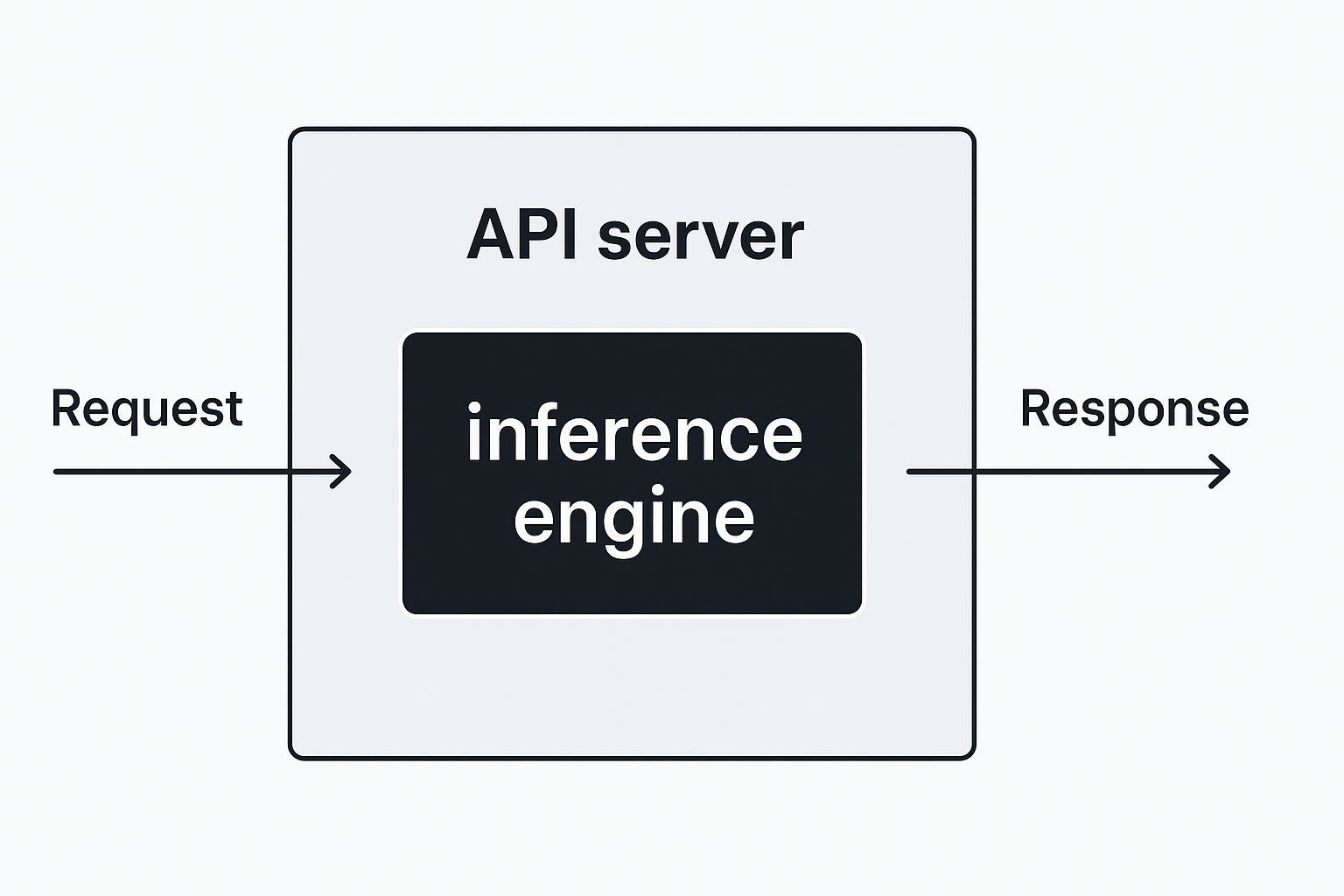
What makes inference different is that there's a model, agent, or full AI system (often a collection of models) running inside the server. At a technical level, inference just means: "given some input, predict the output". In today’s LLM-heavy world, that usually means: "here are some input tokens, give me back output tokens".
As a researcher, it's still wild to me how this term caught on outside the research world. Having worked in industry before research, I would've just called it "model deployment"... but alas... here we are.
What is a token?
For those unfamiliar with this mythical concept of a "token", the simplest way to think about it is that a token is a part of a word. If you head on over to OpenAI's tokenizer you can count tokens yourself.

Why tokens? after decades of research, we decided the best way to feed text to models wasn't through characters or words or sentences, it was through tokens - an idea adapted by Sennrich et al [1] in 2016 based on the original work of Gage et al [2] in 1996.
There is a TON to learn about tokens (inputs, outputs, kv-cache, etc...) which I'll discuss in a different post. But as far as this post is concerned, models that are not LLMs do not deal with tokens... they deal with images, numbers, audio waves.
Serving engines
Here's a brief history of options for serving models going back to 2017 when I deployed my first model.

Chatbots with Flask in 2017
The first time I served AI models was in 2017 when I was building my last startup NextGenVest. Back then, we deployed chat models with humans in the loop to give students financial advice over SMS. Here's the talk from back then "Reducing Student Loans with Bot-Powered Humans".
At the time, the stack that helped us scale to over 100 million chats was a micro-service built using Flask. Now, Flask was (and still is) excruciatingly slow. The only way I made it work at the time was via aggressive auto-scaling, where we would run a lot of CPU servers at the same time on Amazon's EBS (MLOps or Lightning AI weren't a thing back then haha).
Most people start with Flask for some reason... I think it's because there is no modern literature on what people use nowadays. But skip Flask altogether and go to something like FastAPI or LitServe.
TFServe
It may come as a shock to many who know me and my work on PyTorch and PyTorch Lightning, but my first deployed chatbot models were written in TensorFlow (gasp 😱), but deployed with Flask... I remember hearing about TFServe in 2016/2017 but never looked into it. Since then, I know they have come a long way, and I imagine if you use TensorFlow, TFServe has become a good option for deploying models.
But TFServe, introduced the concept of tightly coupling the model to the runtime (which ironically we've circled back to with frameworks like vLLM). This is great, but it comes from a world where servers only served a single model and they were treated as a micro-service. What I mean by that is something like this:
def fake_server(x):
  y = model(x)
  return y
where x is the input and y is the model output. This is of course pseudocode, but the idea is that a single function handles a single model (which itself was usually a single neural network represented as layers).
TorchServe
The above pattern led to the development of TorchServe which is Meta's version of TFServe but for PyTorch models. This was introduced in 2020 as a way to serve PyTorch models. We at Lightning tried using it over the years, but always found it very hard to get it working with our PyTorch models. We did successfully manage to get it working, but I believe you had to choose between TorchScript or Onnx. If anyone's interested in trying it, Here are the general steps to use it:
Define the model (and jit it)
# model.py
import torch
import torch.nn as nn

class HelloWorldModel(nn.Module):
    def forward(self, x):
        return x * 2  # simple identity logic

# Save it
model = HelloWorldModel()
example_input = torch.tensor([1.0])
torch.jit.save(torch.jit.trace(model, example_input), "hello_world.pt")
Write a handler
# handler.py
import torch
from ts.torch_handler.base_handler import BaseHandler

class HelloWorldHandler(BaseHandler):
    def preprocess(self, data):
        return torch.tensor(data[0]['body'])

    def inference(self, input_tensor):
        return input_tensor * 2

    def postprocess(self, inference_output):
        return inference_output.tolist()
Package it
torch-model-archiver \
  --model-name hello_world \
  --version 1.0 \
  --serialized-file hello_world.pt \
  --handler handler.py \
  --export-path model_store
Serve it
torchserve --start --model-store model_store --models hello_world=hello_world.marIf you're able to get your model deployed through TorchServe, I imagine it's a pretty good option. However, we never got any real models into production using this, because most our production models at Lightning AI are more complex than just a single model.
FastAPI
Fast forward a few years and we land at FastAPI which was built for web servers (not AI). FastAPI has become a popular way of serving models, I presume, mostly because the people doing the serving are more of the "MLOPs" people who were familiar with FastAPI. At Lightning, we also started with FastAPI a few years ago, and found it to be adequate for quick prototypes, and POCs.
# server.py
from fastapi import FastAPI
from pydantic import BaseModel
import torch
import torch.nn as nn

# [Model] This is a torch model.
# Define a simple PyTorch model
class HelloWorldModel(nn.Module):
    def forward(self, x):
        return x * 2

# [Gotchas] Don't forget to put it in eval for inference.
# Initialize model
model = HelloWorldModel()
model.eval()

# [FastAPI] This is the fastAPI server
# Define FastAPI app
app = FastAPI()

# Request body schema
class InputData(BaseModel):
    values: list[float]

# [Predict method] Run the inputs through the model
# Define prediction route
@app.post("/predict")
def predict(data: InputData):
    input_tensor = torch.tensor(data.values)
    with torch.no_grad():
        output = model(input_tensor)
    return {"prediction": output.tolist()}
FastAPI is great if your model will only ever look like this, if you want to learn everything about web API frameworks, pedantic, etc... You'll also have to figure out how to autoscale this yourself, with things like uvicorn, etc..
However, as AI models started to need more things like batching, streaming, vector DBs, embeddings, or even multiple models working together, we found it onerous to have to re-implement the same streaming, batching logic, every time we wanted to launch a new AI microservice.
Thinking back through my years of deploying models starting in 2017, I was still not happy with the current state of model serving. I loved the simplicity of FastAPI, the speed that TorchServe and TFServe had brought and the ideas they had introduced, but wanted something very flexible to accomodate the new types of systems we were deploying which were a lot more complicated than a single model.
Using the lessons we had from building PyTorch Lightning to make model training easier, we decided to introduce our take into model serving built on top of FastAPI.
LitServe
LitServe is the culmination of an 8-year journey thinking about model inference for me. LitServe is a kind of meeting ground for AI researchers and MLOps teams - it allows FastAPI experts to transfer that knowledge and AI researchers to not have to deal with any of that stuff if they don't want to.
import torch
import torch.nn as nn
import litserve as ls

# [PyTorch model] Define the same PyTorch model from the FastAPI example
# Define a simple PyTorch model
class HelloWorldModel(nn.Module):
    def forward(self, x):
        return x * 2

# [Describe the API] How should it handle an input
# Define the LitAPI
class HelloLitAPI(ls.LitAPI):
    def setup(self, device):
        self.model = HelloWorldModel().to(device)
        self.device = device

    def predict(self, request):
        # Accept input as JSON: {"input": [1.0, 2.0]}
        x = torch.tensor(request["input"]).to(self.device)
        with torch.no_grad():
            y = self.model(x)
        return {"output": y.tolist()}

# [Deploy on any hardware] Handle GPUs, CPUs, etc...
# Run the server
if __name__ == "__main__":
    server = ls.LitServer(HelloLitAPI(), accelerator="cpu")  # or "auto"/"gpu"
    server.run(port=8000)
There's no packaging or anything else that needs to be done at this point... simply start the python program:
⚡ ~ python server.py
# INFO:     Uvicorn running on http://0.0.0.0:8000 (Press CTRL+C to quit)
# Swagger UI is available at http://0.0.0.0:8000/docs
# INFO:     Started server process [170240]
# INFO:     Waiting for application startup.
# INFO:     Application startup complete.
At the simplest level, here's the same FastAPI model but deployed with LitServe. Underneath, this is still FastAPI, but now we've optimized it and added all the specialized features that makes serving models easy.
For example, it's easy to turn on batching
import torch
import torch.nn as nn
import litserve as ls

class HelloWorldModel(nn.Module):
    def forward(self, x):
        return x * 2

class HelloLitAPI(ls.LitAPI):
    def setup(self, device):
        self.model = HelloWorldModel().to(device)
        self.device = device

    # [decode batch] extract inputs which will be auto-batched
    def decode_request(self, request: list[dict]):
        return [r["input"] for r in request]

    # [process batch] inputs is now a batch
    def predict(self, inputs):
        x = torch.tensor(inputs).to(self.device)
        with torch.no_grad():
            y = self.model(x)
        # [return list] instead return a list to be split from the batch
        return y.tolist()

    # [encode batch] format outputs
    def encode_response(self, outputs):
        return [{"output": o} for o in outputs]

if __name__ == "__main__":
    # [enable batching] set parameters
    api = HelloLitAPI(max_batch_size=4, batch_timeout=0.1)
    server = ls.LitServer(api, accelerator="cpu")
    server.run(port=8000)
What about vLLM, SGLang?
vLLM and SGLang are specialized servers for LLM serving. I wouldn’t put them in the same category as the other tools I’ve mentioned. Everything else so far is built to serve any kind of model like computer vision, audio, classical models, or full AI systems like agents and chatbots (i.e. not just models).
If you're specifically looking to serve an LLM with all the optimizations baked in, then vLLM or SGLang are your best options not LitServe, FastAPI, TorchServe, Flask, etc... Those require you to implement your own batching, streaming, kv-caching, and everything else. So, I guess, if you're an expert, building your own vLLM-type of framework, then FastAPI or LitServe are better options for you.
Put simply: if you started with FastAPI or LitServe, brought in an LLM architecture, and layered in all the LLM-specific infra, you'd basically end up recreating a custom version of vLLM. But the gap between general-purpose tools and something like vLLM or SGLang is big, and bridging it takes a lot of work.
On the flip side, if you're deploying anything other than LLMs, vLLM and SGLang won't help you.
What about "kernels"?
Kernels have gotten a lot of hype in the last year. Kernels are self-contained cuda programs that optimize sequences of mathematical operations into a single fast version. Think about it like instead of doing each line of an equation separately like:
x1 = 20 * y
x2 = (x1 + y**2) * x1
You fuse it all into a single operation
z = (20 * y + y**2) * (20 * y)Now instead of two memory loads and two compute steps, you get one fused CUDA kernel that does it all at once. That’s the idea behind custom kernels in frameworks like vLLM and TensorRT. The real kernel "wizards" are often ex-math people who understand that many computations can be rewritten using mathematical properties to avoid unnecessary work.
Take matrix inversion, for example. Inverting a general matrix is expensive (O(n³)). But if the matrix is diagonal, like this:
A = diag([a₁, a₂, a₃]) =
[[a₁,  0,  0],
 [ 0, a₂,  0],
 [ 0,  0, a₃]]
Then you don’t need to run any matrix algorithm at all... you just invert each element directly:
A⁻¹ = diag([1/a₁, 1/a₂, 1/a₃])So... do you need kernels? Most models do not need specialized kernels if you know how to do the proper PyTorch operations. But most researchers don't know enough about the PyTorch internals (nor should they) to know that a certain kind of operation is very slow vs the alternative syntax:
# [slow] creates a new tensor just to sum it... unnecessary overhead
x = torch.stack([a, b], dim=0).sum(dim=0)

# [fast] this is vectorized and avoids the extra memory ops
x = a + b
Most people aren't aware of these things, so they use things like Torch.compile (or Lightning's version Thunder.compile) to have a compiler automatically eliminate all these bottlenecks. The sad truth, is that these compilers often end up slowing down programs even more because the researchers applying it are kind of "vibe optimizing"... hoping it works, but often times it will just slow things down.
To make models fast, you actually need to profile them closely, understand the internals of PyTorch and change inefficient PyTorch ops with better ones. And yes... sometimes a kernel helps.
For this kind of optimizations we have a dedicated PyTorch team internally that helps our customers understand and optimize their models. As a result, model inference speeds can increase quite a bit... we've seen as high as 20x faster inference when we're done diagnosing models.
If you have in-house experts, they can often use profiling tools to try to identify the bottlenecks on their own as well.
Summary comparisons
Here's a chart showing the summary of differences between inference engines
| Tool | Model Types | Batching | Streaming | Multi-Model | Use Case |
|---|---|---|---|---|---|
| Flask | Any | ❌ | ❌ | ❌ | MVPs |
| TFServe | TF | ✅ | ❌ | ❌ | Prod |
| TorchServe | PyTorch | ✅ | ❌ | ❌ | Prod |
| FastAPI | Any | ❌ | ❌ | ❌ | MVPs |
| LitServe | Any | ✅ | ✅ | ✅ | Full AI Systems |
| vLLM | LLMs only | ✅ | ✅ | ✅ | High-perf LLMs |
Hosting Options
When it comes to hosting models deployed with any of these inference engines, you have quite a bit of optionality today.
Localhost - on the cloud
No matter what engine you use, Flask, FastAPI, vLLM or LitServe, perhaps the simplest way to deploy it is to start up a Lightning Studio, (a persistent cloud environment), ssh to it, set up the environment (git clone, etc), expose a port and you're done! This is the best way to quickly get a prototype up and running.
https://pl-bolts-doc-images.s3.us-east-2.amazonaws.com/app-2/deploy_local.mp4
yes... I'm plugging our own platform here, because I honestly think it's the easiest no frills way of getting something running... it's basically "localhost" on the cloud which works for 90% of things... no need to learn Docker, kubernetes, rent VMs, etc... it's as simple as running it on localhost.
Studio snapshot
If you want something more sophisticated, I'm also going to plug our own platform here because you can also achieve a more traditional "deployment" that is not interactive, and on a dedicated VM with Studio snapshots. You'd want to move out of "localhost" mode when you want alerting, observability, logs, etc... It's great for that next step after the prototype.
It's very simple, click the deploy button, choose "Studio" and write the command to deploy the server.
https://pl-bolts-doc-images.s3.us-east-2.amazonaws.com/app-2/studio_deploy.mp4
Just think about this step as "automatic Docker++". Under the hood, we snapshot the full VM and clone it to a standalone VM. This means if you have a LOT of data on the VM, startup times will be slow... so, keep that in mind.
Docker
If you want to make startup times faster or take your server to an existing production pipeline, then Docker can help here.
Dockerizing a server lets you decide what to actually package into the deployment. This reduces the size of the Docker Image so that loading it is extremely fast. Just think about it simply as, the larger it is, the slower it is to start because all those GBs have to be transferred to the server. So... moving 500 GBs is obviously going to take minutes vs moving 2 GBs which would take seconds.
If you're using LitServe, this is as simple as:
lightning deploy server.py --cloudOr you can DIY, make your own container and take it anywhere:
[create dockerfile] Create a Dockerfile automatically (or do it manually)
# litserve dockerize server.py --gpu

# [build container] now use Docker to build a container
docker build -t litserve-model .

# [run] now run the container
docker run -p 8000:8000 litserve-model
Kubernetes
Once you have a Docker container, you need something that can auto-scale servers as requests come in. For prototypes, it's also nice to avoid running machines when there's no traffic. That’s traditionally where Kubernetes comes in... It takes a Docker container and spins up more replicas as traffic increases, then scales things back down when demand drops.
But Kubernetes was designed for web servers - not AI. It takes specialized knowledge to get working well, and you’ll run into a bunch of limitations as you start scaling model inference. That’s why Lightning AI offers managed deployments. You just upload a container, hit "deploy", and it auto-scales like Kubernetes, but using our own orchestration system purpose-built for AI workloads.
https://pl-bolts-doc-images.s3.us-east-2.amazonaws.com/app-2/container-deploy-demo.mp4
Once you have pushed your container to Lightning, simply hit Deploy
# [Login to registry] Login to the Lightning container registry
# login
export LIGHTNING_API_KEY=XXXXXXXXX-XXXXXXXXXXXXXXXXXX-XXXXXXXXXXXXXXXXXXX
echo $LIGHTNING_API_KEY | docker login litcr.io --username=your-lightning-username --password-stdin

# [Get the container] Build the vLLM container using the Dockerfile
docker build -t my-vllm-server .

# [Tag] Tag the container
# tag
docker tag my-vllm-server:latest litcr.io/lit-container/org-or-user-name/teamspace-name/my-vllm-server

# [Push] Push to the Lightning container registry
# push
docker push litcr.io/lit-container/org-or-user-name/teamspace-name/my-vllm-server
Why is serving hard in 2025?
It doesn't have to be! The problem is everyone creates monster stacks before they ever even try something simple.
My unpopular view
My unpopular opinion is that model serving is often made out to be harder than it really is. A lot of that comes from developers entering AI who bring complex web infra stacks with them like Kubernetes, service meshes, autoscaling layers... and end up gluing tools together just to get something working. The result is often a fragile tool soup that’s hard to maintain and scale.
On the other side, you have AI researchers who are often not engineers (if you've seen research code, this isn't surprising haha)... who suddenly have to learn all of this because the people helping them deploy are pulling them into that world. It creates friction. The MLOps engineer speaks in tools, the researcher speaks in outcomes, and neither is quite meeting the other where they are.
We’ve tried to bridge that gap with tooling that’s flexible and powerful enough for MLOps workflows, but simple and accessible for researchers too.
And then there's the vendor noise. Every week it feels like there’s a new serving framework, but most of them aren’t doing much you can’t already get in the open source. That’s why we made our tools open... so you can self-host if you want, or use Lightning AI if you’d rather not deal with the ops side. If you just want a Kubernetes cluster on some GPUs, we can do that. If you want to skip Kubernetes entirely and use our managed deployment platform, we’ve got that covered too.
Start simple!
Honestly... just forget the articles, tools, and hot takes for a second, and try the simplest thing before making your life more complicated. I've used all the options out there, and I keep coming back to LitServe.
On the Lightning platform, you can use any of them... we’re not opinionated or locked in. So this isn’t about pushing one stack over another.
I'm just trying to save you time and cut through the noise. Write a simple LitServe model, deploy it in a few minutes, and decide where to go from there.
pip install litserveMake a server.py file
import litserve as ls

# [define model] Define the model or models if a system
class InferencePipeline(ls.LitAPI):
    def setup(self, device):
        self.model1 = lambda x: x**2
        self.model2 = lambda x: x**3
    # [Handle predict] handle the predict function
    def predict(self, request):
        x = request["input"]
        # perform calculations using both models
        a = self.model1(x)
        b = self.model2(x)
        c = a + b
        return {"output": c}

# [start server] deploy the server on GPUs/CPUs, etc...
if __name__ == "__main__":
    server = ls.LitServer(InferencePipeline(max_batch_size=1), accelerator="auto")
    server.run(port=8000)
Host it
# [Host on Lightning] Automatically deploys secure, autoscaling endpoint to Lightning cloud.
lightning deploy server.py --cloud

# [Self host] Run anywhere (laptop, own server, etc...).
python server.py
Final words
If you made it here, hopefully this small journey into the history of AI inference can help you make a more informed decision for your next project!
The most important thing is to keep it simple and not start from something that was done 8 years ago and having to re-learn all those lessons the hard way!
Read more blogs and case studies:
• Fault-tolerant AI inference despite Cloudflare outage
• Lightning AI Launches First GPU Marketplace Uniting NeoClouds and Hyperscalers, Cutting AI Costs by 70%
• View all