
Introducing Lightning's Multi-Cloud GPU Marketplace
Many AI teams want the ability to choose the best GPU for their needs, whether that’s cost, performance, or region. But multi-cloud adoption is hard. Hyperscalers offer mature ML platforms but lock you in, wasting credits and limiting options. Newer NeoClouds provide specialized hardware but lack integrated development tools, leaving you to build and manage infrastructure, scaling, and storage on your own.Teams often avoid multi-cloud altogether, sticking to one provider despite suboptimal pricing or availability.
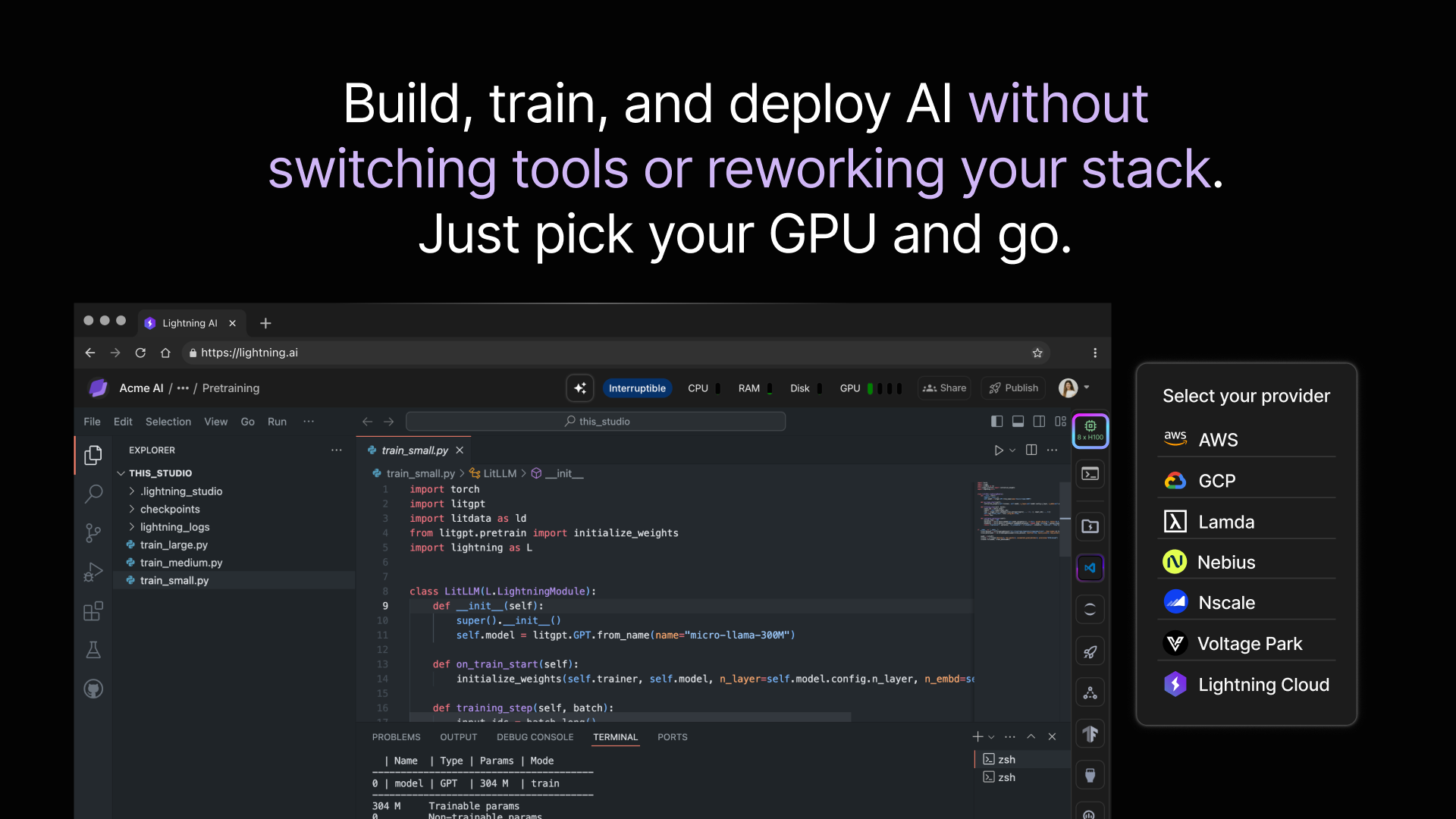
Lightning’s Multi-Cloud GPU Marketplace lowers that barrier. It unifies access to GPUs from hyperscalers and NeoClouds in a single, developer-friendly platform. You pick the GPU optimized for your workload, and Lightning handles provisioning, orchestration, monitoring, and optimization. With Lightning’s end-to-end AI development platform, users can prototype, train, and deploy AI without worrying about infrastructure rework or rewriting workflows.
Whether running quick on-demand experiments or large-scale reserved clusters, Lightning manages SLURM, Kubernetes, or its own AI orchestrator, giving you consistent tooling and eliminating cloud lock-in.
Why Developers Choose Lightning for GPU Workloads
Developers use Lightning to streamline every stage of their AI projects without switching tools or rewriting code. Here’s what that looks like in practice:
Developers building AI applications, from training large models to running complex AI agents, need the flexibility to choose the right GPU for every workload. With Lightning, you can run on any cloud provider without being locked into a single vendor, avoid infrastructure overhead, and keep your workflow consistent from start to finish. Lightning ensures you’re always choosing the optimal compute for performance, cost, and location.
- Always run on the best-fit GPU. Automatically match your workload to the optimal GPU for performance, cost, and location.
- No rewrites or infrastructure rebuilds when switching clouds. Same environment, tools, and workflow, no matter where your compute runs.
- Fully managed orchestration tuned for AI. Lightning handles the hard parts of running Slurm or Kubernetes at scale, so you can focus on model development, not cluster ops.
- Flexibility to scale up or down, on-demand or reserved. Run smaller experiments quickly or provision clusters for large jobs without changing your code or processes.
By embedding these capabilities into a single platform, Lightning lets developers spend less time managing infrastructure and more time building AI, from intelligent agents that respond in real time to large-scale models that push the boundaries of research.
Hardware for every stage of your AI workload
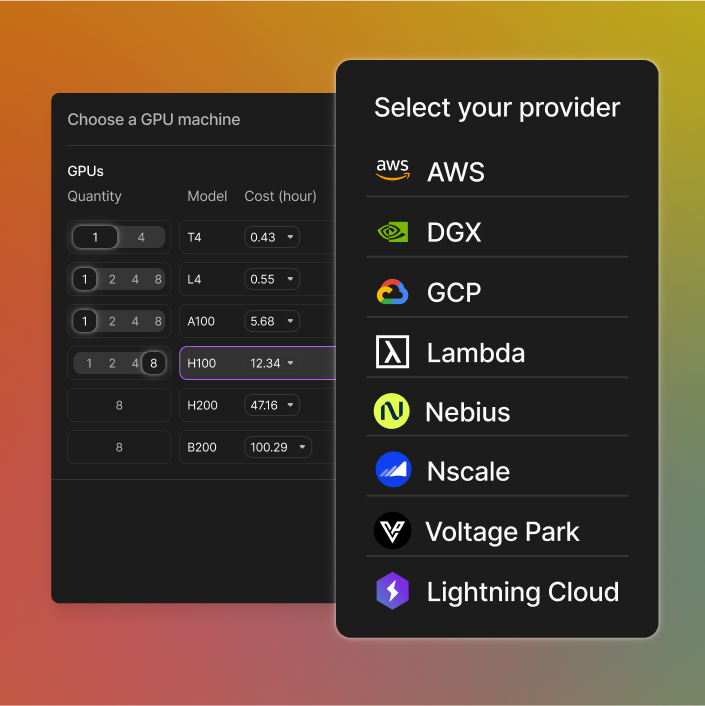
From quick inference jobs to multi-billion parameter model training, each stage of an AI project demands different GPU capabilities. Below is a breakdown of the GPUs available in Lightning’s GPU Marketplace, and when to choose each, so you can match hardware to your exact workload without leaving the platform.
- NVIDIA T4 and L4: lightweight energy-efficient for inference small fine-tuning or batch jobs where efficiency matters
- NVIDIA L40S: a middle ground for training vision models, diffusion models, or general-purpose workloads that need more horsepower
- NVIDIA A100 (40GB/80GB): versatile workhorse for training and inference at scale
- NVIDIA H100 and H200: latest silicon for large language models multi-modal training and memory-heavy tasks
- NVIDIA B200: NVIDIA’s newest accelerator, built for next-gen AI workloads
- Multi-GPU clusters (up to 8 GPUs/node): scale training or parallel experiments without juggling clouds or orchestration tools
All GPUs are available on-demand or reserved. Optimize for cost, performance, or availability based on workload demands.
Learn more.
Developer tools built for real AI workflows
Lightning’s GPU Marketplace isn’t just about compute access. It’s integrated with a developer-focused AI platform designed to support your entire workflow from prototype to production:
- Persistent cloud workspaces that feel like local environments. Workspaces auto-save all your work so you can turn them off and pick up exactly where you left off.
- Use any IDE, no setup required. Code in VSCode, Cursor, Windsurf. Bring any tool you love like notebooks, GitHub, GitLab.
- Team collaboration features built-in. Save time with live peer debugging, shared workspaces, or onboard new developers without painful setup.
- Built-in logging and metrics so you can monitor progress and spot bottlenecks without stitching together separate tools.
- CLI and Python SDK for automation. Spin up GPUs, launch jobs, manage experiments, and deploy models with simple commands or scripts.
- App templates for common AI use cases like LLM agents, chatbots, or computer vision pipelines. Get started fast without reinventing the wheel.
- Admin control and dashboards. Manage teams, data access, infra, and spend across clouds.
Getting started with Lightning’s GPU Marketplace
Whether you’re starting fresh or migrating an existing project, Lightning makes launching and managing GPU workloads simple and fast.
- Launch a new Studio: choose your preferred cloud provider and GPU type, pick your base environment, and hit launch
- Switch clouds seamlessly: for existing and new Studios, Lightning lets you migrate your workspaces and running jobs between clouds without rewriting code or reconfiguring your environment
- Manage your resources centrally: set budgets, track usage, and enforce policies across all your GPU resources from a single dashboard
Get Back to Building AI, Not Managing Clouds
Managing AI workloads across multiple clouds shouldn’t slow you down or force compromises. Lightning gives you the flexibility, control, and consistency to focus on what matters, building and improving AI models.
No juggling accounts, no manual orchestration headaches, no cloud lock-in.
Watch the video to see how you can switch clouds on a Lightning Studio in just a few clicks. No rewrites, no setup. Learn more here.
Just getting started with Lightning? Check out the quickstart here.
Read more blogs and case studies
• GPT 5 vs GPT OSS 20B vs GPT OSS 120B
• From Flask to vLLM: How Model Inference has evolved (2017-2025)
• View all